Set pixel (fb_pixel)
What it does: Sets one pixel in the framebuffer to the specified coordinate and color.
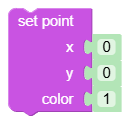
Inputs
px: X coordinate of the point - integer.py: Y coordinate of the point - integer.col: Color (0 - black, 1 - white).
Output
- None (statement block).
When to use it
- When you need point plotting or coordinate debugging.
- For very fine graphic editing, where shapes and images are not enough.
Tips and pitfalls
- Generator converts coordinates and color to
int(...); non-numeric inputs may behave unexpectedly. - For point animation, batch multiple changes to the framebuffer and update them with one
oded_refresh.
Usage example
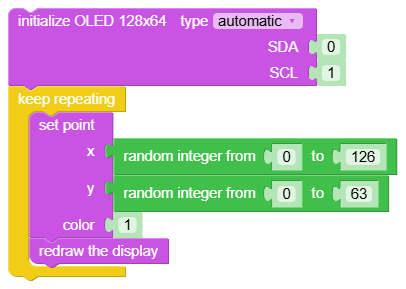
Generated Python example
fbuf.pixel(int(0), int(0), int(0))