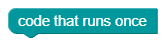
On start (program_start)
What it does: Indicates a string of commands that will be executed once each time the program is run. You append the commands under the block, not inside.
Inputs
- No classic inputs.
- The block belongs to the beginning of the program.
The generator places strings starting with this block before separate repeat forever blocks, even if they are drawn below on the workspace. For clarity, use one common starting part.
Output
- None (statement block).
When to use it
- Initialization of variables, peripherals and communication.
- Code that should not be repeated in the main loop.
Tips and pitfalls
- Put only one-time start here, not repeated reading or driving.
- When something needs to run all the time, it belongs in
program_loop. - First set the default variables, or load saved settings first, then initialize the parts that need those values.
- The start chain must end for the program to reach the main loop. An infinite loop inserted here will block the path of further code.
Generated Python example
# Initialize once before entering the main loop.
rychlost = 40
The block itself only creates a delimiter comment. The powerful code comes from the commands appended below it. The entire workspace is explained by basic orientation.