Pin selection by board
What it does: The pin menu block returns the number of the selected GPIO. The pin itself does not initialize, read its state, or provide voltage. Connect the number to the input of the relevant reading, output or initialization block.
Digital pins
Basic block [pin number] (pinout.md) has variants depending on the selected board:
| Block Type | Offer |
|---|---|
pinout8266 |
ESP8266; the labels help match the label on the board to the GPIO. |
pinout_ESP32C3, pinout_ESP32C6 |
ESP32-C3 and ESP32-C6. |
pinout_ESP32S3, pinout_ESP32S3_ROBOTIC |
ESP32-S3 and robotic variant. |
pinout_ESPBIT |
ESP:BIT. |
pinout_RP2040, pinout_RP2040_picoed |
RP2040 and Pico:ed. |
pinout_RP2350 |
RP2350. |
pinout8266

pinout_ESP32C3

pinout_ESP32C6
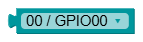
pinout_ESP32S3

pinout_ESP32S3_ROBOTIC

pinout_ESPBIT

pinout_RP2040

pinout_RP2040_picoed

pinout_RP2350

Analog pins
The limited pin selection for analog inputs works in the same way:
| Block Type | Offer |
|---|---|
adc_pinout |
ESP32. |
adc_ESP32C3_pinout, adc_ESP32C6_pinout |
ESP32-C3 and ESP32-C6. |
adc_ESP32S3_pinout, adc_ESP32S3_ROBOTIC_pinout |
ESP32-S3 and robotic variant. |
adc_ESPBIT_pinout |
ESP:BIT. |
adc_RP2040_pinout, adc_RP2040_pinout_picoed |
RP2040 and Pico:ed. |
adc_RP2350_pinout |
RP2350; the offer also includes variant B pins, which may not be shown on your board. |
adc_pinout

adc_ESP32C3_pinout

adc_ESP32C6_pinout

adc_ESP32S3_pinout

adc_ESP32S3_ROBOTIC_pinout

adc_ESPBIT_pinout

adc_RP2040_pinout

adc_RP2040_pinout_picoed

adc_RP2350_pinout

Tips and pitfalls
- The GPIO number that the generator puts into Python is decisive. The connector markings may not be identical.
- The offer of the board does not mean that every pin of it is free in your connection. Consider the display, built-in peripherals and boot pins.
- To read the value, proceed to analog inputs by board; you can find the virtual connection in simulator components.