Repeat forever — main loop (program_loop)
What it does: Repeats the statements inside the block until you stop the program or it terminates due to an unhandled error, for example. Inserts utime.sleep_ms(0) before the body of each passage.
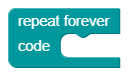
Inputs
DO: code inside the loop.
Output
- None (statement block).
When to use it
- When the activity is to be repeated over and over.
- For sensor reading, output control and continuous evaluation.
Tips and pitfalls
- The loop runs forever, so don't put a blocking wait in it for no reason.
utime.sleep_ms(0)is not adjustable delay or fixed loop speed guarantee. Add a wait block for visible slowdown.- Expect
DOto trigger repeatedly on each playthrough. - Multiple separate repeat forever blocks will not run concurrently: the first infinite loop will not let the next one run. Put the activities in one loop and divide them according to time conditions as needed.
- This includes continuous dashboard and repeated dynamic scene rendering. Initialize the display or set variables after startup.
Generated Python example
import utime

while True:
  utime.sleep_ms(0)
  # Statements connected to DO run on every iteration.